Exporting Claude Artifact Content
The Claude to PDF, Word and Google Docs extension also supports exporting content from artifacts — the side panel in Claude where long-form outputs are shown.
How to Export Artifact Content
To export an artifact:
-
Maximize the artifact so that it is fully open on the screen.
(Note: The export only works when the artifact is open in full view.) -
Once maximized, look at the top right corner of the artifact.
-
Click the Word, PDF, or Google Docs button to export the artifact content in your desired format.
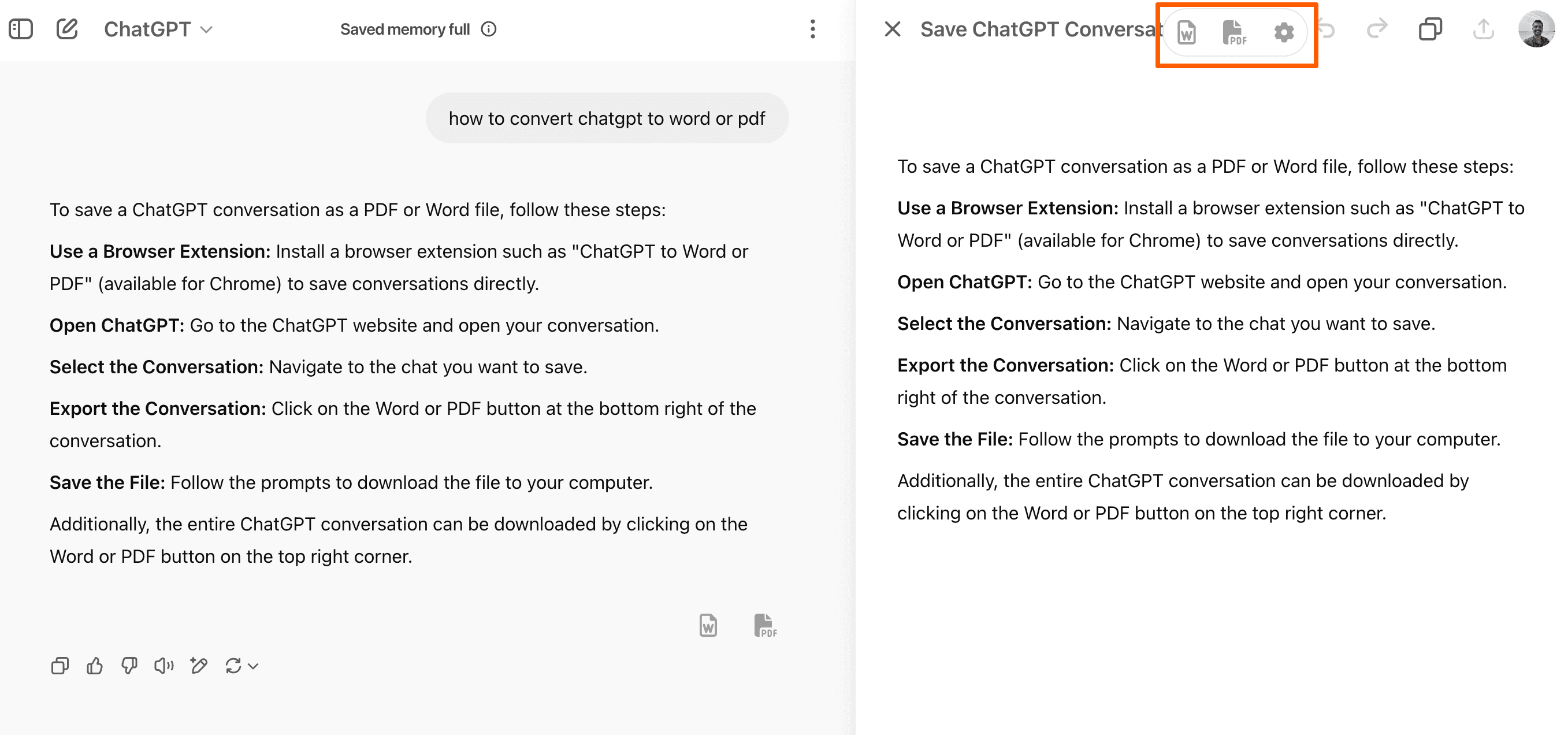
These buttons will behave differently based on the current view:
- If the artifact is open, choosing Word, PDF, or Google Docs will export the artifact content only.
- If the artifact is closed, the same buttons will export the entire conversation instead.
What Gets Exported
When exporting from an open artifact:
- Only the visible artifact content is exported.
- The structure, formatting, and math (if present) are preserved.
Tip: Use this feature to export structured or visual outputs created as artifacts without capturing unrelated parts of the conversation.
Last updated on